

 Request a Demo
India's Department of Chemicals and Petrochemicals (DCPC) has just released the User Manual for Chemicals Inventory of India (ChemIndia). The official has changed the URL for ChemIndia Portal and the previous address is not working.
According to the Manual, there are five responsible entities in the portal: DCPC facilitator, DCPC coordinator, company, company unit, and company unit operator. Different entities are subject to different capabilities or privileges.
In terms of company requirements, it is required to provide details about chemical purchases, sales, and production on the ChemIndia portal. ChemLinked has condensed the essential steps as outlined below:
Registration
The process include registering the company as a whole, along with its individual units. Each unit will be tagged to the company and assigned a designated unit operator. Specific profiles will be created for the unit operators, granting them access to the portal for the submission of chemical data.
Master Entry
To submit chemical data, unit operators may first enter the “Master Entry” following the subsequent steps:
1. Log in as the unit operator.
2. Click on the“Mastery Entry” button in the ChemIndia Portal.
3. Enter the details and upload the molecular structure.
4. Click the“Submit" button to save the data successfully.
The details include the list of main constituents of the substance/mixture/article with 10% (w/w) or more concentration and classification and labeling information in accordance with UN GHS Rev.9.
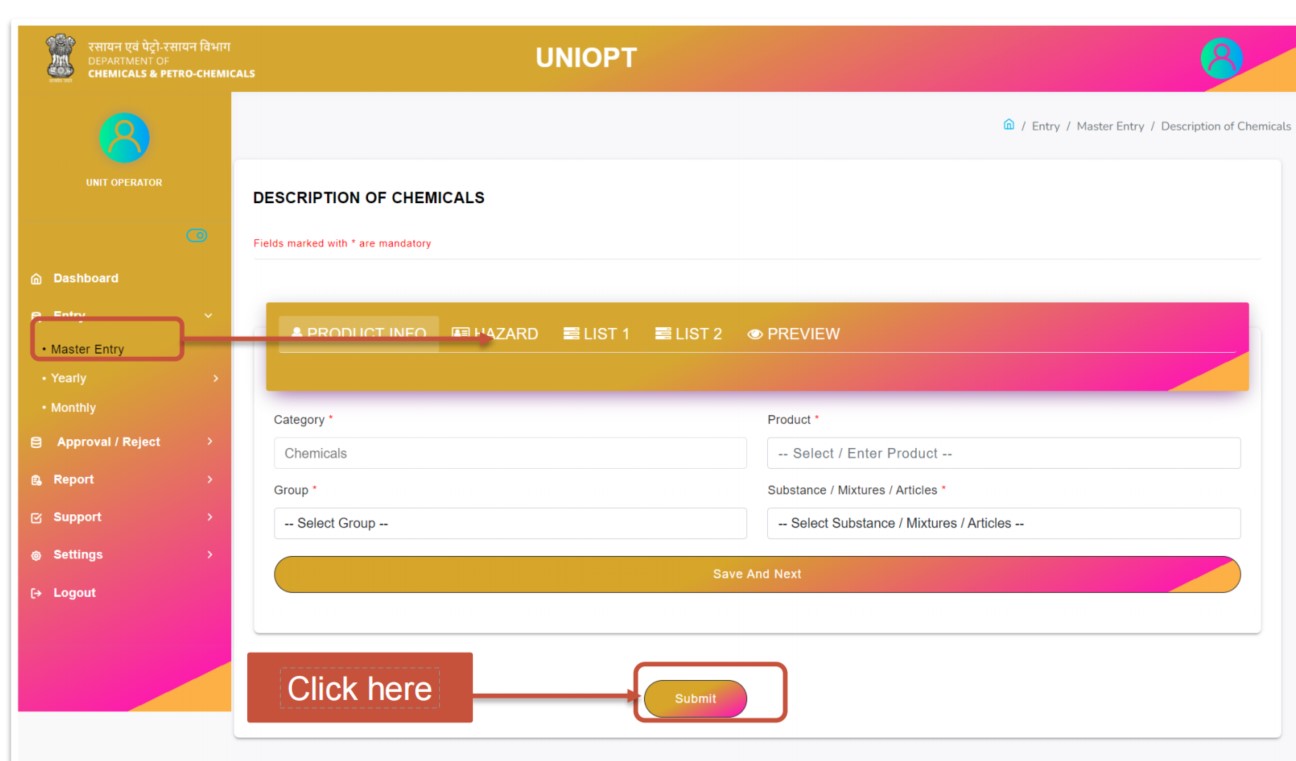
Source: Chemicals Inventory of India User Manual by DCPC
Yearly and Monthly Entry
Apart from the “Master Entry” section, unit operators is also required to submit the purchase, sales or installed capacity of chemicals on a yearly basis and production of chemicals on a monthly basis.
In order to enter the “Yearly Purchase/Sales of Chemicals” data, the following steps shall be adhered to:
1: Click on the “Purchase/Sales of Chemicals" button within yearly section in the ChemIndia portal.
2: Select financial year, source, country, product, quantity and value in INR.
3: Click the “Submit" button to save the data successfully.
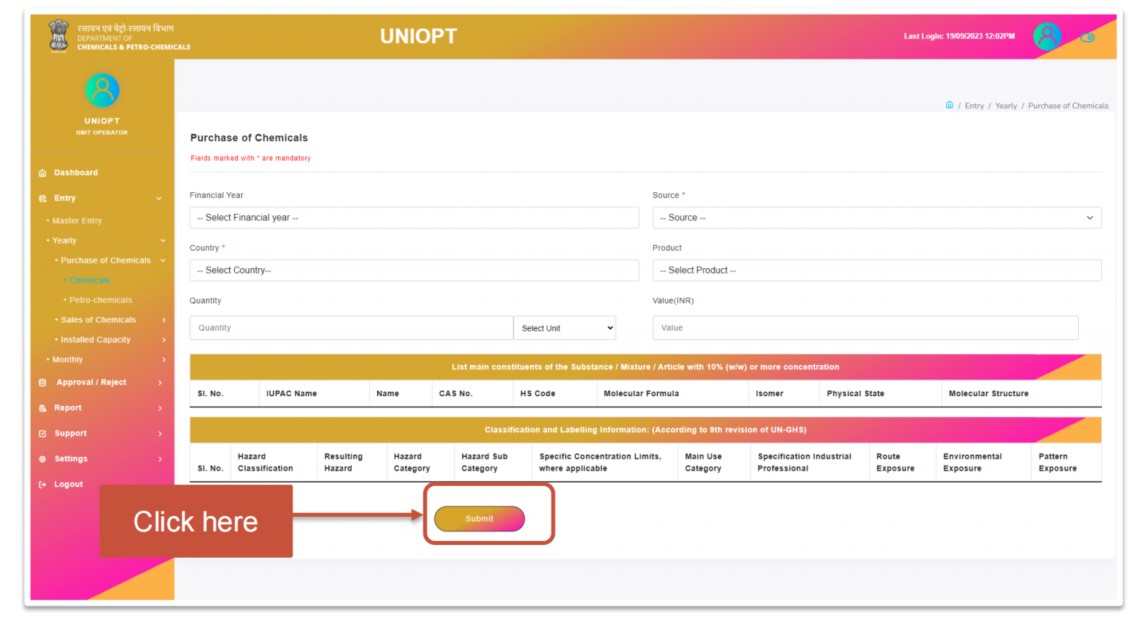
Source: Chemicals Inventory of India User Manual by DCPC
For“Yearly Installed Capacity of Chemicals” data, the required steps are as follows:
1: Click on the“Installed Capacity of Chemicals" button within yearly section in the ChemIndia portal.
2: Select financial year, product, Installed Capacity, closing and opening stock, as well as details of all impurities contained in a concentration of greater than 0.1% (w/w).
3: Click the“Submit" button to save the data successfully.
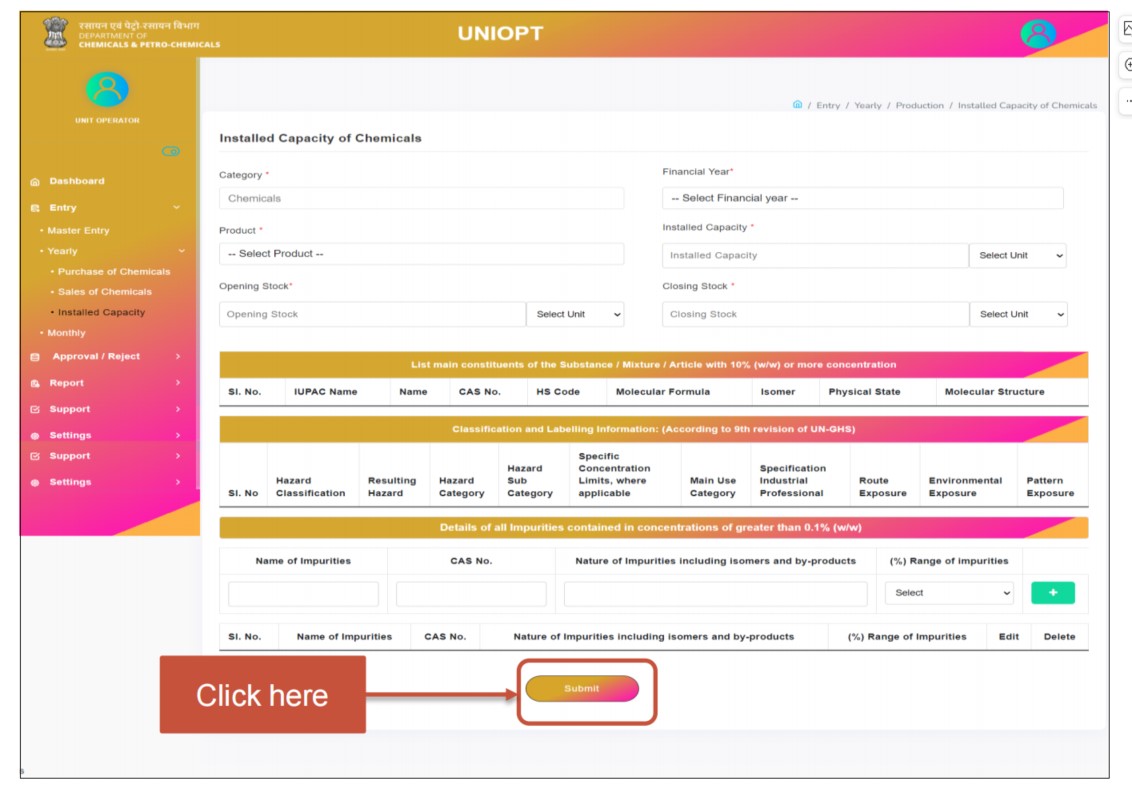
Source: Chemicals Inventory of India User Manual by DCPC
In order to enter the“Monthly Production of Chemicals” data, please follow these steps:
1: Click on the“Chemical" button within Monthly section in the ChemIndia portal.
2: Enter the details given in the mentioned fields.
3: Click the“Submit" button to save the data successfully.
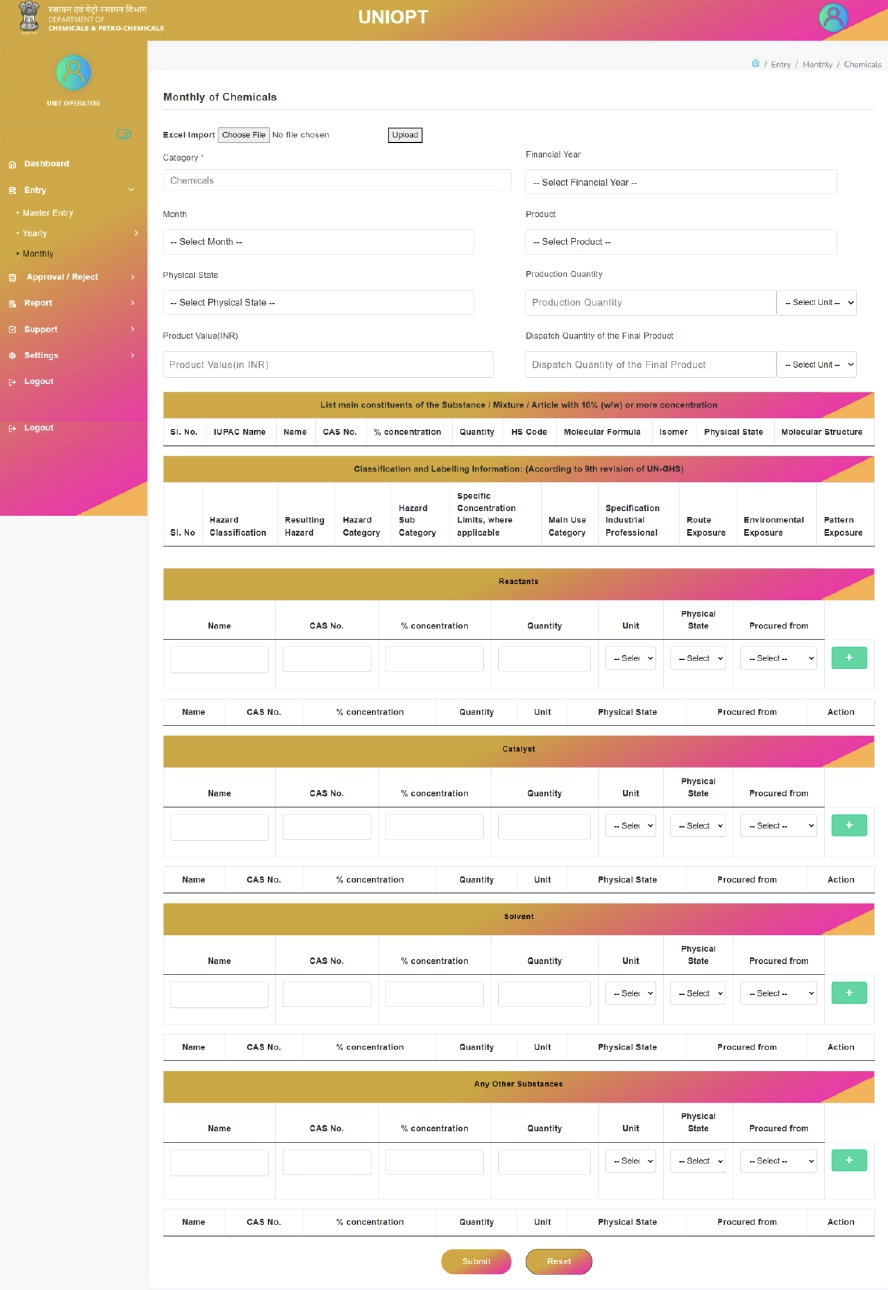
Source: Chemicals Inventory of India User Manual by DCPC
The submitted data shall be initially reviewed by the Unit Nodal and then forwarded to the Department Coordinator for final approval.
In addition to submitting information, companies also possess the following priviledges:
Dashboard Access: Ability to access the dashboard for data and insights.
Report Viewing: Accessing reports for Chemicals and Petrochemicals on a yearly and monthly basis.
Best Practices Entry: Entering details of best practices within the unit.
Ticket Management: Raising tickets to report any challenges they encounter while using the ChemIndia portal and provide valuable feedback regarding updates and improvement to the portal.
The User Manual can be accessed here.